Thursday, August 29, 2013

How To Change Your MAC Address

MAC address is a unique identifier assigned to a network adapter or a network interface card by the manufacturer. It is also known as an Ethernet Hardware Address (EHA), hardware addressadapter address, or physical address.
You may be in a situation when you may want to change this MAC address to one of your own choosing. To do that
1. Go to Start -> Control Panel ->Network and Sharing Center

2. Select Manage Network Connections from the links in the right side of the Window and double click the connection whose MAC you want to change (99% chances to be called Local Area Connection). This will open the Properties Window.

3. Click on Properties button
4. Click on Configure button


5. Go to Advanced tab and select Network Address from the list bellow


6. Select the radio button under the Value: and insert the new MAC Address (at your choice).


7. Click OK and that’s all.
source

Free Fast Public DNS Servers List

The most basic task of DNS is to translate hostnames such as theos.in to IP address such as 74.86.49.131. In very simple terms, it can be compared to a phone book. DNS also has other important use such as email routing.
This is my list of better, fast public dns servers and free dns server (as compare to your ISP / DSL / ADSL / cable DNS service providers dns servers). These dns servers are free to all. I was able to improve my browsing speed with following DNS servers. Use any one of the following provider.

Free Public DNS Server

=> Service provider: Google
Google public dns server IP address:
  • 8.8.8.8
  • 8.8.4.4
=> Service provider:Dnsadvantage
Dnsadvantage free dns server list:
  • 156.154.70.1
  • 156.154.71.1
=> Service provider:OpenDNS
OpenDNS free dns server list / IP address:
  • 208.67.222.222
  • 208.67.220.220
=> Service provider:Norton
Norton free dns server list / IP address:
  • 198.153.192.1
  • 198.153.194.1
=> Service provider: GTEI DNS (now Verizon)
Public Name server IP address:
  • 4.2.2.1
  • 4.2.2.2
  • 4.2.2.3
  • 4.2.2.4
  • 4.2.2.5
  • 4.2.2.6

How do I change or setup DNS server IP address?

Visit below mentioned site to setup DNS as per your operating system:

How to Hack / Crack / Cheat TeamViewer


In General

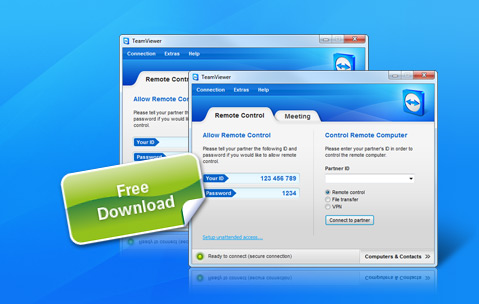
No doubt TeamViewer is one of the best, free remote access and remote desktop sharing software over internet.
Let’s say your friend is facing some computer issues and she does not know much about computers. It’ll be really difficult for you to guide your friend over phone as mostly she’d not understand what to do and your phone bill would run high as well !for
This is where TeamViewer comes in picture and works best. You can sit at the comfort of your house and help your friend who can possibly be sitting thousands of miles away (Make sure you have direct internet connection as TeamViewer does not work if it’s behind proxy).
TeamViewer is free for personal use, but you’ll have to buy a license if you are using it for commercial purposes. Off late I had a few readers e-mailing a common problem they had with TeamViewer.


Problem:

The common problem was that, even though these visitors were not using TeamViewer for commercial purpose they were getting the following message:
“Commercial Use Suspected”
In such case, my first suggestion is that you contact TeamViewer team and inform them about the problem and see if they can solve the issue.
However, there is a way to solve this, but this should be used only if you don’t get a reply from teamviewer and is a bit of technical process, so you have to dabble your hand in it only if you know what you are upto.

Solution:
<!--more-->
1> First Close Teamviewer, if it is running.

2> Click on Start –> Run –> type %appdata% –> delete TeamViewer folder

3> Delete registry folder:
HKEY_CURRENT_USER/software/teamviewer and
HKEY_LOCAL_MACHINE/software/teamviewer on win32 or
HKEY_LOCAL_MACHINE/SOFTWARE/Wow6432Node/TeamViewer on win64

4> Change the MAC Address of your LAN card read bellow how to do it.
- disable the nic
- change the mac address in the registry script located at the bottom of this text, where 0009 is the number of the nic as it is registered by the system in the registry
- execute the reg script
- enable the nic

5> Restart your Teamviewer and you should get a new ID and also should solve the “Commercial Use Suspected” problem.

How to change your MAC address
To change you mac addrress on specific nic, you have to add the key named "NetworkAddress" to specific nic in the windows registry.

Note: do not change the mac address from all nics of your system, but only one or two nics you may use.

An easy way to update the registry is to load the follow text as .reg file, please do correct the proper 4digit number where your nic is registered! In this example, this 4digit number is the0009

To find the proper 4digit number, you have to find the nic you are using. All the nic of your computer are in 
HKEY_LOCAL_MACHINE\SYSTEM\CurrentControlSet\Control\Class\{4D36E972-E325-11CE-BFC1-08002BE10318}\ 
folder.

Windows Registry Editor Version 5.00

[HKEY_LOCAL_MACHINE\SYSTEM\CurrentControlSet\Control\Class\{4D36E972-E325-11CE-BFC1-08002BE10318}\0009]
"NetworkAddress"="0016D3EF9BD3"
 
in any case, if you are using teamviewer on about 5 hours per day, you will need to do this procedure every week; maybe then you have  to contact with them and solve he problem.

another solution: is to load the teamviewer in virtual machine... your license key will be activated as it was new computer; the nics are fewer and the cheat applied easiest

Good Luck


Wednesday, August 14, 2013

Non Gold Guide to Increase Nobility in TKO

In Three Kingdoms Online, if you want to reach generalissimo nobility, without using gold, or if you want to upgrade nobility to best, you should follow this guide :

1396500 contribution value is required for generalissimo nobility which means that assuming there is special event time, where one token =158 CV, then we will still need to get 8839 tribute tokens to get there. Not something that I can afford. For most non gold users, it is almost a non attainable feat.

What we need are some quest items managements and means to get them. The way I see that you can get quest items is by dueling with your heroes in the faction map. To get enough of those items, you will need a lot of heroes. You can either get them from the career centre by searching with gold or through fighting Escort Guardians.

Citizen– Wine, Salt, Silk
Baron– Salt, Silk, Indigo
Viscount– Silk, Indigo, Fur
Marquis– Indigo, Fur, Horse
Count– Fur, Horse, Spice
Duke– Horse, Spice, Jade
Infante– Spice, Jade, Pearl
Lord-Jade, Pearl, Gold

After reaching Count, you should only donate Fur till you get Duke. While at Duke, donate only horse and lastly at Infante, donate only Spice. When you reached Lord rank, then keep all the tribute tokens to donate when there is an event that increases the contribution value to 158. From lord to Generalissimo, you would need 5k tribute tokens and its 4431 tokens if that event appears. At any stage of your rank, you should not donate any tribute tokens you have till you reached Lord rank. Reason being that jade, pearl and gold are not easy to find from duels compared with the rest of the court items and thus a better way would be to donate tribute tokens

This is a non-gold player guide, however semi gold player can also find this useful, as donating court quest items is always better then donating tribute tokens to reach general nobility.

source

Popular Posts